

Pick two fixed cues per corner: a distant marker that triggers full brake pressure and a near marker where you release into a drop or trail into the apex. Confirm the point holds up over three clean laps before you trust it, since 2026's regen behavior can quietly shift your stopping distance lap to lap.
TL;DR:
- Heavier regen in F1 26 affects braking behavior, making effective stopping points vary with battery charge, so drivers must adjust their markers accordingly.
- Validating a braking point requires three consecutive laps with consistent entry speeds and brake release points before trusting the cue.
- Trail braking allows for later braking points by maintaining brake pressure into turn-in, but over-application or mid-corner reapplying brakes wastes time and unsettles the car.
- Using fixed visual cues like sponsor boards and telemetry analysis helps improve consistency by turning guesses into reliable, repeatable braking markers.
- An app like Virew can automate data comparison, offering tailored drills and fixing specific corner mistakes without relying solely on manual lap rewatching.
Table of Contents
- What Braking Points Actually Mean in F1 26
- The Step-by-Step Method for Finding and Verifying Braking Points
- Drop Braking, Trail Braking, and the Mistakes That Cost You Time
- 2026 Regen Changes: Why Your Braking Points Keep Moving
- How Virew Turns Your Lap Data Into Braking-Point Fixes
- Two Drills to Lock In Your Braking Points
- What Separates Consistent Drivers From Fast-for-One-Lap Drivers
- Get Per-Corner Braking Feedback Instead of Guessing
- Primary Sources and Further Reading
- Sources
- FAQ
What Braking Points Actually Mean in F1 26
A braking point in F1 26 is the exact spot on track where you go from full throttle to brake input, chosen to hit a target entry speed at the apex without scrubbing off more speed than the corner requires. It sounds simple. It isn't fixed. The right braking point depends on what you're trying to accomplish in that session.
In Time Trial or Qualifying, you're chasing the absolute limit on a single lap, so braking points sit right on the edge of lock-up risk. In a race, you back off slightly to protect tires and stay consistent across a full stint. That's the trade-off every F1 26 driver has to manage:
- Entry speed vs. consistency: braking later gains time but raises the chance of a mistake compounding over a race distance.
- Tire wear vs. stopping distance: aggressive braking heats and wears the fronts faster, which pushes your marker earlier as a stint goes on.
- Energy deployment vs. brake feel: heavier regen under braking changes how the car decelerates, which means the same visual marker can produce a different actual stopping point session to session.
Treat your braking points as variables you retest, not settings you lock in once and forget.
The Step-by-Step Method for Finding and Verifying Braking Points
Guessing a braking point and hoping it holds is how lap times become inconsistent. This routine turns a guess into a number you can trust.
Before you turn a lap:
- Turn off braking assist and any driving line aids that show you a colored braking zone. You need to feel and see the real limit, not a suggested one.
- Lock in a consistent fuel load and tire compound for the session. Comparing brake traces across different fuel weights gives you false data.
- Set your ERS deployment mode the same way for every lap in the test. Inconsistent energy strategy skews your stopping feel.
Finding the marker:
- Pick a distant cue first, something permanent like a sponsor board, a curb edge, or a distance board. Painted lines and shadows move with time of day; concrete track furniture doesn't.
- Brake hard at that cue and note where the car settles before turn-in. That becomes your rough near marker, the second cue where you release pressure into a drop or start trailing.
Recording and validating:
- Pull up your brake pressure trace, speed trace, and GPS position after the lap. Look for a clean, sharp ramp to 100% brake pressure rather than a slow build.
- Run three consecutive clean laps at the same marker. If your minimum corner speed and brake release point stay within a tight window across all three, the marker is validated.
- Nudge the marker five to ten meters later only after the first point is fully consistent, then repeat the three-lap check.
Pro Tip: Save a telemetry overlay of your best validated lap for each corner. When your pace drops off mid-session, compare the current lap's brake trace against that saved overlay instead of guessing what changed.
Drop Braking, Trail Braking, and the Mistakes That Cost You Time
Drop braking means you hit maximum brake pressure, hold it, then release sharply at the turn-in point, arriving at the apex mostly off the brakes. Trail braking, by contrast, means you carry a decreasing amount of brake pressure through the turn-in and into the apex, which shifts weight onto the front tires longer and lets you delay the actual braking point later than a drop-brake approach would allow.
Three mistakes show up constantly in brake telemetry:
- Slow ramp to 100% pressure: instead of a sharp spike, the trace shows a gradual climb, which wastes stopping distance before the car is even at maximum deceleration.
- Overlapping throttle and brake: micro-inputs on the throttle while still on the brakes create a "double hump" in the trace and bleed lap time without the driver noticing.
- Mid-corner brake reapplication: touching the brake again after the initial release, usually from misjudging entry speed, unsettles the car right when it needs stability.
The fix for all three is the same discipline: commit to one clean brake application, release once, and trust the marker instead of correcting mid-corner.
2026 Regen Changes: Why Your Braking Points Keep Moving
The 2026 power unit rules increase MGU-K regeneration significantly, and that has a direct, physical effect on how the rear brakes behave. Brembo's own technical framework requires the rear braking system to deliver 2,500 Nm of braking torque at a maximum caliper pressure of 150 bar, a spec built around cars that now harvest far more energy under braking than before. That harvesting shifts part of the stopping job from the physical brake to the electric motor, which means brake-by-wire mapping has to blend the two sources smoothly or the car's stopping distance becomes unpredictable.
What this means on track: battery state of charge now affects how a corner brakes. A fully charged battery harvests less, so more stopping force comes from the physical brakes, while a depleted battery leans harder on regen, which can change your effective braking point by several meters between laps.
Early testing coverage from The Race noted more frequent front lock-ups and rear brake coldness tied to this heavier regen load. Watch for front lock-ups under braking, rear-end instability on turn-in, or a marker that felt right last lap but suddenly falls short. When you notice it, back your marker up ten meters and recheck rather than fighting the same point again.
How Virew Turns Your Lap Data Into Braking-Point Fixes
Finding your own braking points manually works, but it's slow. You brake, you guess, you rewatch a replay, you brake again. Virew's lap analysis tool shortens that loop by reading your uploaded F1 26 laps directly: brake pressure traces, entry speeds, turn-in timing, and lap-to-lap consistency across every corner on the circuit.
The output isn't just a lap time. You get:
- A suggested braking point per corner, compared against your actual marker.
- A short drill list targeting your specific pattern, whether that's a slow ramp to full pressure or late trail release.
- A delta time showing exactly how many tenths a corrected braking point would have saved.
Because dry and wet conditions produce completely different stopping behavior, Virew treats them as separate coaching contexts rather than averaging them together. Race-mode feedback also weighs consistency and tire state differently than a pure Time Trial analysis would, so the drills you get match the session type you actually ran.
Two Drills to Lock In Your Braking Points
Drill 1: The Time Trial bracket test. Pick one corner and run ten qualifying-style laps at your current marker. Success means your brake trace overlays almost perfectly lap to lap, with less than 0.05 seconds of variance in when you hit the brake pedal at the marker. If the trace wanders, you're relying on feel instead of the cue, and the marker needs to move to something more visually distinct.
- Set a low fuel load and fresh tires to remove those variables.
- Run the same corner ten times, checking brake trace overlay after every lap.
- Note ERS charge level at the start of each lap; flag any lap where a low battery state changed your stopping feel.
Drill 2: The race-simulation run. Run a 10 to 15 lap stint on a race fuel load with tire degradation turned on. Track whether your braking point holds steady as the tires wear and the car gets lighter, then note where you had to back off to protect a locking front tire late in the stint.
What Separates Consistent Drivers From Fast-for-One-Lap Drivers
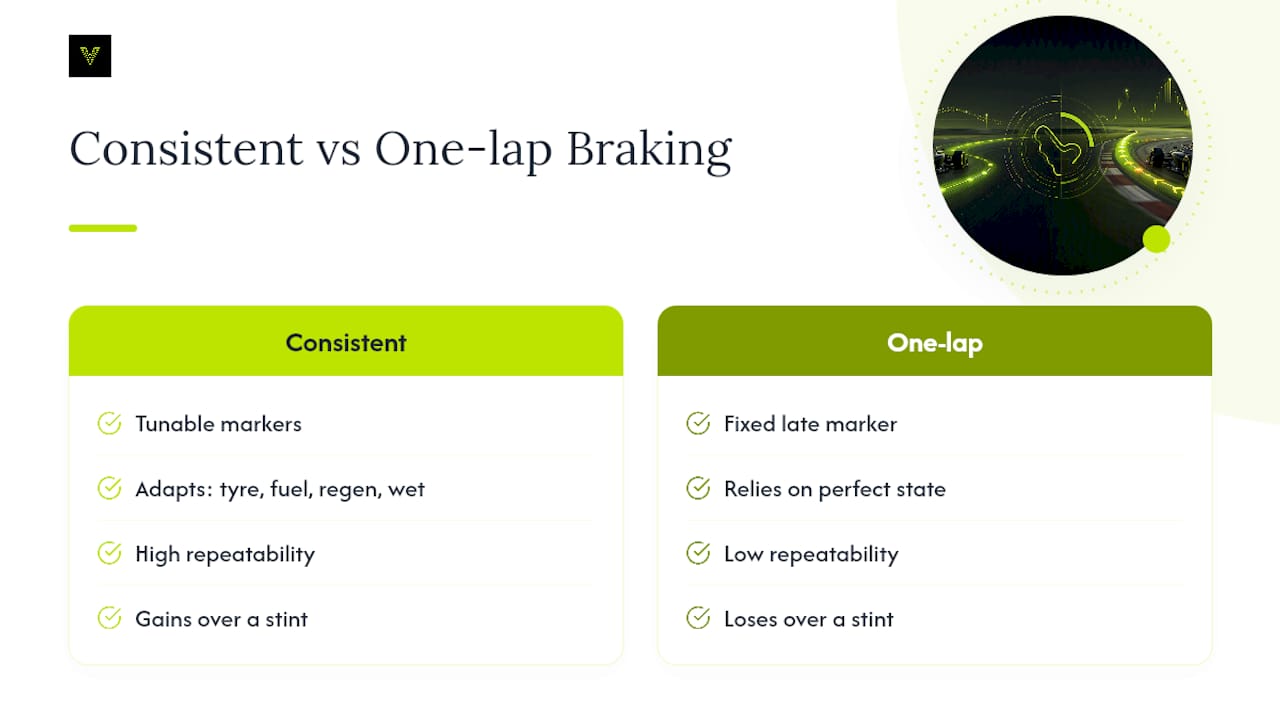
Repeatability beats late bravery every time I look at telemetry from quick but inconsistent drivers. The one-lap hero who brakes ten meters later than everyone else usually loses more time over a race stint than they gained in Qualifying, because that marker only works when the tires, fuel load, and battery charge line up perfectly.
The drivers who actually climb the leaderboard treat their braking points as tunable settings, not fixed truths carved into the track. They adjust for tire wear, for regen state, for wet patches, and they don't take it personally when a marker that worked last week needs to move. Small, banked gains at every corner add up to more time than one heroic, unrepeatable braking zone.
— Virew
Get Per-Corner Braking Feedback Instead of Guessing
Reading your own brake trace after every session works, but it's a lot of manual comparison for marginal gains. Virew is built to do that comparison for you: upload your F1 26 laps and get a brake pressure breakdown, entry speed analysis, and turn-in timing for every corner on the circuit, rather than a single lap time with no explanation behind it.
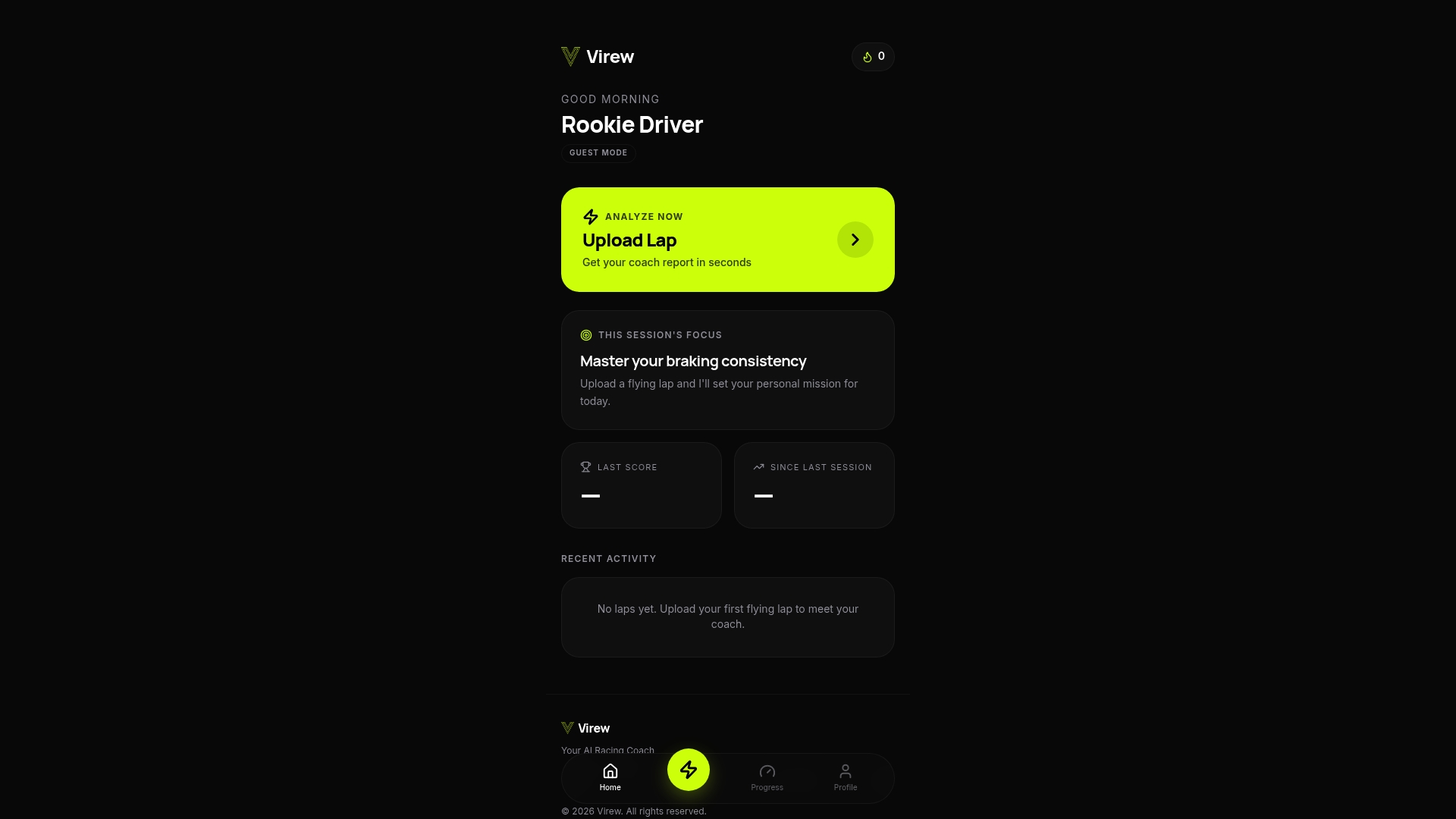
You'll see exactly which corners are costing you time and get a tailored drill list to fix them, whether that's a late ramp to full pressure or a braking point that's drifting under 2026 regen conditions. If you're adapting to the new power units specifically, the guide to driving the 2026 cars walks through the setup and technique adjustments that pair with this braking-point work. Ready to see where you're actually losing time? Upload your first lap through Virew's lap analysis tool and get your per-corner breakdown.
Primary Sources and Further Reading
The technical claims on regen and braking torque in this article draw from Brembo's own 2026 F1 technical rules, engineering reporting from The Drive on Brembo's brake redesign, and early testing analysis from The Race on 2026 lock-up and temperature issues.
Sources
- How 2026 rules will change F1 | Brembo EN
- How Brembo redesigned F1 brakes for the 2026 power unit revolution
- Another unforeseen headache set to be a theme of F1 2026
FAQ
What Is a Braking Point in F1 26?
It's the exact spot on track where you transition from throttle to brake for a corner, chosen to hit a target entry speed without losing more time than the corner demands.
How Do I Find My Braking Point for a Corner?
Pick a permanent visual marker like a curb or sponsor board, brake hard at that point, then confirm the result holds across three consecutive clean laps using your brake pressure and speed telemetry.
Why Do My Braking Points Keep Changing in 2026?
Heavier MGU-K regeneration shifts part of the stopping force to the electric motor, so your battery's state of charge changes how hard the physical brakes work and can shift your effective stopping distance between laps.
What's the Difference Between Drop Braking and Trail Braking?
Drop braking means a sharp release from full pressure right at turn-in, which suits quick-flick corners, while trail braking carries a gradually decreasing brake pressure through the turn to delay the braking point and keep weight on the front tires longer.
Can an App Help Me Identify Where I'm Losing Time on Braking?
Yes. Virew's lap analysis reads your uploaded F1 26 laps and flags per-corner braking issues like late pressure ramps or inconsistent release points, along with drills to correct them.