
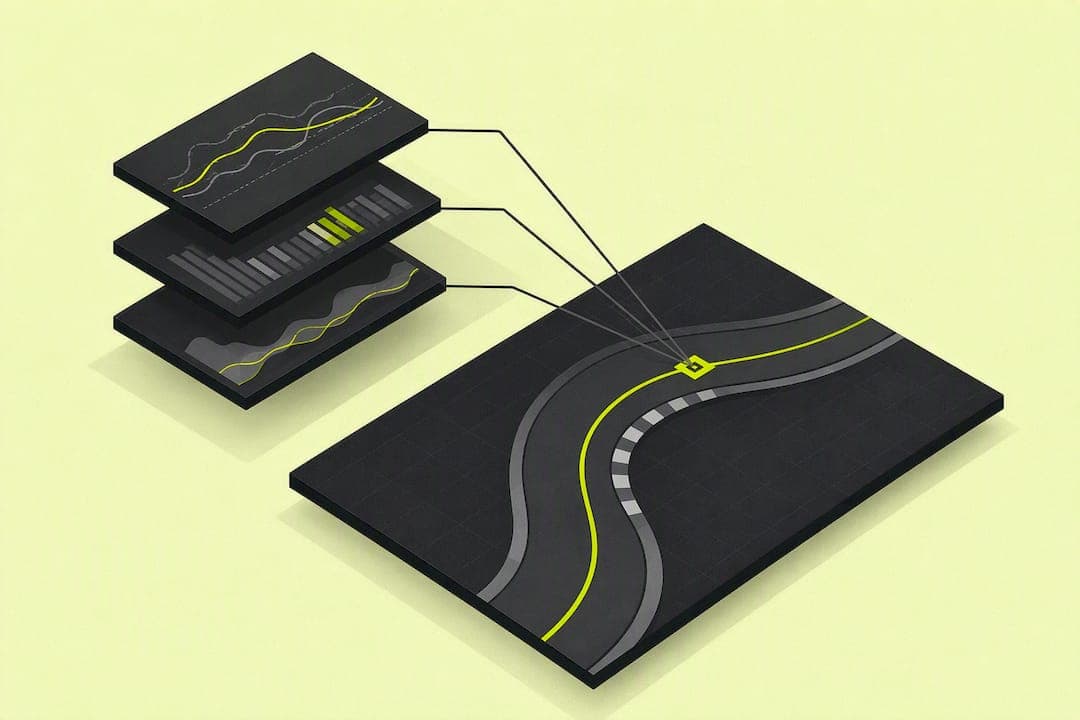
Sync frame-accurate onboard video to your telemetry, line it up against a clean reference lap, and hunt for the one corner bleeding the most time. Getting there takes a proper capture (video plus logged telemetry, unedited), a reliable sync method, and a habit of checking braking, line, and throttle trace by trace. Pick a single corner, fix one thing, then move to the next lap.
TL;DR:
- Automatic sync tools generally work well but require manual verification at braking zones and exit spikes to prevent drift issues.
- A reference lap must match conditions like tire and weather to provide meaningful comparison, emphasizing same session types for accuracy.
- Focus analysis on one corner or technical issue per session to identify the most time-consuming mistake and implement measurable improvements.
- Mismatched conditions or poor synchronization are common causes of misleading data, so recurring inconsistencies should prompt re-capturing the lap instead of forcing fixes.
- AI-based platforms like Virew streamline lap analysis by automating sync and highlighting the key issue, reducing time spent on raw data interpretation.
Table of Contents
- What To Record And Export For A Usable Lap Video Analysis
- How Do You Sync Video With Telemetry?
- What To Watch For Corner By Corner In Video And Telemetry
- How To Compare Laps Using A Reference Lap
- Session-Specific Priorities: Time Trial, Qualifying, And Race
- Fixing Sync Drift And Other Analysis Traps
- Virew's Approach: One Actionable Change Per Session
- Try Virew For F1 26 Lap Analysis
- What Actually Separates Useful Analysis From Wasted Time
- Sources
What To Record And Export For A Usable Lap Video Analysis
Bad footage kills analysis before it starts. Grab in-game replay capture or an external camera recording with visible timestamps, plus any telemetry export F1 26 makes available for your platform. Controller or wheel input overlays add another layer if your capture setup supports them.
A few habits separate usable footage from wasted footage:
- Keep original files untouched. Re-encoding for smaller file sizes strips or shifts timestamp metadata, which breaks sync later.
- Save in a common format (MP4 with a standard codec) rather than a proprietary export that only one editor reads.
- Record at a fixed frame rate throughout the session. Variable frame rate is the single biggest cause of drifting sync.
- Mount your capture camera or set your replay angle consistently, lap after lap, so visual reference points (dash, apex boards, mirrors) stay in the same place on screen.
Camera GPS alone can produce usable lap and sector splits, but pairing it with a proper telemetry log adds brake pressure and wheel speed data that turns a rough impression into an engineering-grade read of what actually happened at the wheel.
How Do You Sync Video With Telemetry?
Most sync work falls into two camps: automatic and manual. Start with automatic, then verify manually before trusting the result.
- Try automatic alignment first. Tools that read timestamps or telemetry channels directly can line up video and data without input from you, and smart alignment features have gotten good even across sessions that don't share the same start line, though drift checks are still worth running afterward.
- Pick a sharp reference event for manual sync. A brake light coming on, a downshift, a clutch bite point. Anything with a clean visual and a clean telemetry spike works better than a vague corner entry.
- Align at two points, not one. Match your reference event early in the lap and again late in the lap. If both line up but the middle of the lap drifts, your capture likely has a variable frame rate or was re-encoded somewhere along the way, and the fix is to recapture rather than patch it.
- Verify across several corners before trusting the sync. One good alignment point doesn't guarantee the whole lap tracks correctly.
Pro Tip: Check sync at a braking zone and an exit spike on the same lap. If those two match but a corner in between doesn't, throw out that clip and record a fresh one instead of trying to force the timeline straight.
What To Watch For Corner By Corner In Video And Telemetry
This is where lap video analysis actually pays off. Each corner tells you something different depending on which channel you're reading.
Braking windows and trail braking. Watch the brake trace for onset point and release shape. Late braking that spikes hard usually means you're overslowing the entry; early, soft braking usually means you're leaving lap time on the table before you've even turned in. Trail braking should show a gradual taper, not a cliff.
Line geometry. Compare turn-in, apex, and exit points visually against the GPS trace. A wide entry that tightens hard mid-corner almost always shows up as a scrubbed speed trace at the apex, even when it looks fine on video.
Throttle and traction. Look at how quickly and how smoothly throttle gets applied after the apex. A stepped or hesitant throttle trace often points to wheelspin you can't see on screen but can absolutely see on the speed channel.
Steering input consistency. A steering trace full of small corrections means you're hunting for grip rather than committing to a line. Clean traces are usually a single smooth arc per corner.
Speed, gear, and ERS. Check corner-entry and corner-exit speed against your reference, confirm gear selection matches the corner (an extra downshift almost always costs time), and track ERS deployment timing on exit, since a mistimed deployment window undercuts straight-line speed even with a perfect exit line.
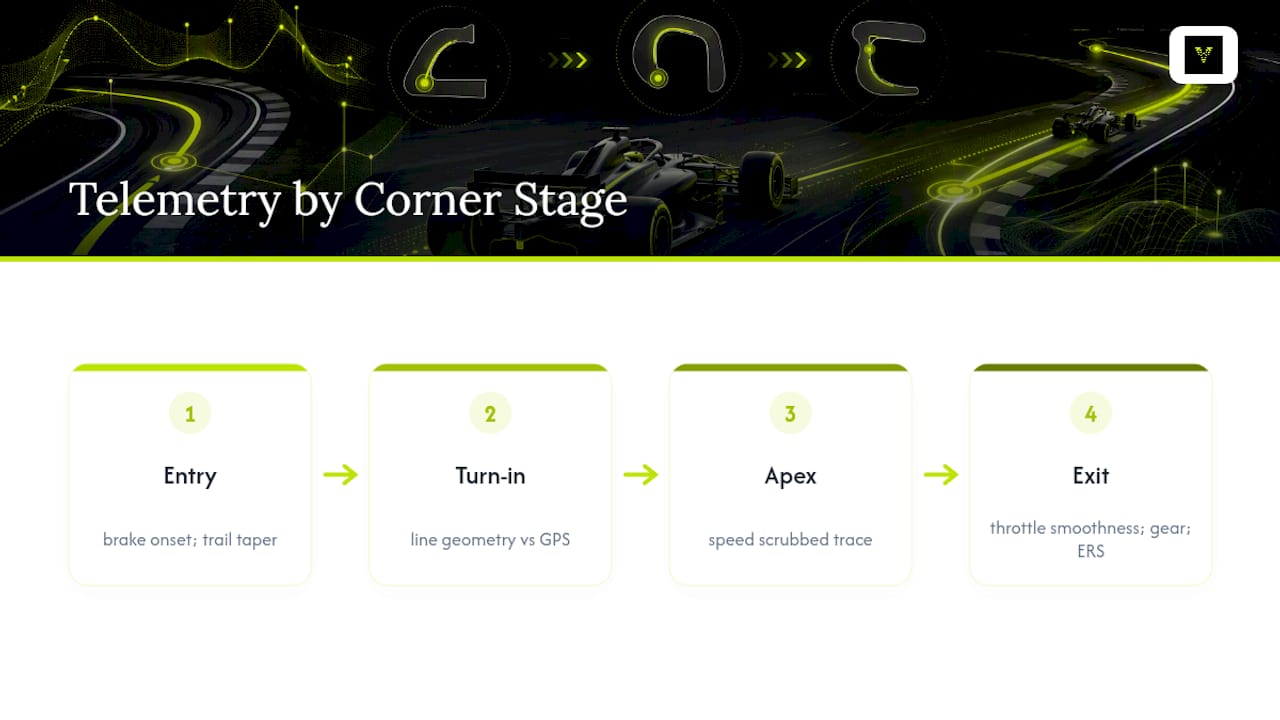
Breaking a lap into corner-by-corner telemetry replay and reading the delta at each point on track is standard practice in serious lap analysis, and it's the fastest way to find a repeatable mistake instead of guessing from a gut feeling. Platforms built around telemetry commonly lean on scatter plots and satellite overlays specifically because raw numbers rarely tell the story on their own. A histogram of throttle application across a session will show you a pattern that ten laps of watching video would take much longer to reveal.
How To Compare Laps Using A Reference Lap
A reference lap only works if the conditions match. Comparing a cold-tire out lap to your personal best tells you nothing useful.
- Choose a reference lap from similar conditions. Same fuel load, similar tire state, same weather. A qualifying-sim lap compared against a race-stint lap will mislead you every time.
- Overlay the traces and read sector deltas first. Sector splits point you toward which third of the lap to dig into before you start scrubbing through individual corners.
- Find the single corner with the largest repeatable loss. Comparing speed, brake, and throttle traces against a reference reveals the deviations that show up lap after lap, and those repeatable gaps are almost always fixable technique, not bad luck.
- Build one measurable drill around it. Ten laps, one target change (brake five meters later, roll more speed through the apex), and a clear way to check whether it worked, like a consistent speed number at a fixed track marker.
Session-Specific Priorities: Time Trial, Qualifying, And Race
What you look for in your telemetry shifts depending on why you're on track.
- Time Trial is about squeezing out every tenth. Focus on late braking, precise apex placement, and maximum exit speed. Check your ERS deployment window against the fastest point of each straight since a perfectly timed lap still loses time if the energy runs out before the braking zone.
- Qualifying rewards a single clean lap over a fast average. Prioritize tire warm-up in the out lap and confirm your ERS strategy suits one committed push rather than being spread across multiple attempts. Watch for outlier corners where nerves cause a late brake or a missed apex, since one bad corner ruins an otherwise strong lap.
- Race analysis is about consistency across a stint, not a single fast lap. Track lap-time spread rather than your single best number, manage ERS deployment across the whole stint instead of one lap, and check whether your racing line stays consistent as tire wear changes the car's balance.
Fixing Sync Drift And Other Analysis Traps
Most confusing analysis sessions trace back to one of a handful of problems.
- Sync drift mid-lap usually means variable frame rate or re-encoding. Re-check your two-point alignment (an early brake event and a late exit spike) and recapture if they don't both hold.
- Missing telemetry channels can often be worked around by inferring behavior from speed and position traces, or by re-running a controlled lap specifically to capture the missing data.
- Mismatched conditions wreck comparisons before sync ever becomes an issue. Heavy traffic, inconsistent tire or fuel states, and corrupted files all produce misleading traces that look like driving errors but aren't.
Pro Tip: If a lap looks wrong across every single corner rather than just one or two, stop analyzing it. That's a capture or sync problem, not a driving problem.
Virew's Approach: One Actionable Change Per Session
Coaching builds around a simple loop: Drive, Analyze, Improve, Repeat. Instead of dumping every telemetry channel on you at once, the system automatically measures key areas covered in this guide, such as braking windows, trail braking shape, ERS deployment timing, and throttle application curves, then narrows the output to a single priority per corner.
That matters because most drivers don't need ten fixes. They need to know the one corner costing them the most time and a specific, measurable change to try there. Coaching reports are designed to answer exactly that question after each upload, then track whether the change actually stuck across your next few sessions.
Try Virew For F1 26 Lap Analysis
Manually syncing video to telemetry, scrubbing through brake traces, and cross-checking ERS windows works, but it takes time most drivers would rather spend on track. Virew's F1 26 lap analysis automates that entire workflow: upload your lap, it handles the sync, and it hands you a per-corner breakdown instead of a wall of raw numbers.
Where a manual review might tell you "you lost time in Turn 8," AI coaching tools tell you why, whether it's a late brake, a scrubbed apex, or a mistimed ERS deployment, and give you one specific change to test on your next run. That's the same principle behind enterprise systems like RaceWatch, which combine multiple data streams into a single actionable view rather than forcing you to cross-reference feeds by hand. Run a free lap analysis through an AI coaching platform or check the full walkthrough to see exactly what a coaching report looks like before you upload your own.
What Actually Separates Useful Analysis From Wasted Time
Most drivers who struggle with lap analysis aren't missing data. They're drowning in it. Fifteen telemetry channels and a lap of onboard footage sound thorough, but without a reference lap and a single question to answer, that data just sits there looking impressive.
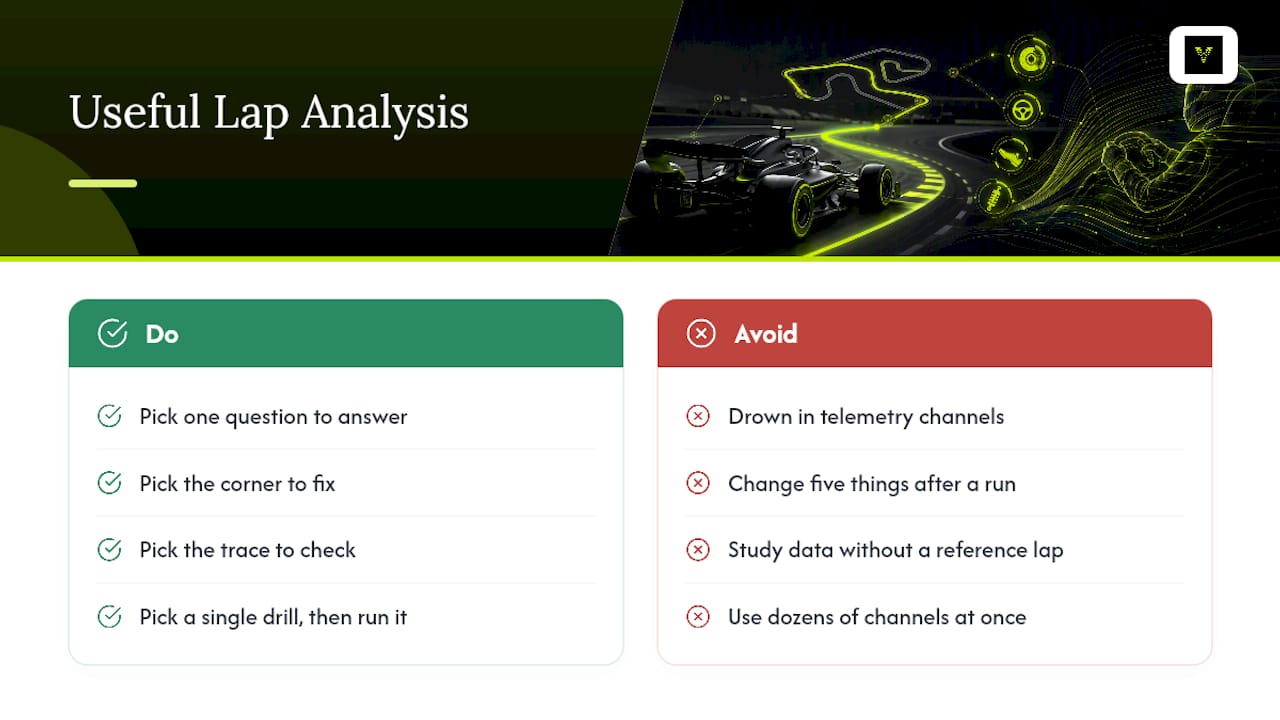
The drivers who actually get faster treat each session with one question in mind: where did I lose the most time, and what's the smallest change that fixes it? That's a sharper approach than trying to fix five things after every run, because five simultaneous changes make it impossible to tell which one actually worked. Pick the corner. Pick the trace. Pick the drill. Then go run it again.
The conventional advice to "study your data" undersells how narrow the useful part of that data actually is. A full telemetry sheet has dozens of channels; on any given lap, maybe two or three of them are telling you something you don't already know.
— Virew
Sources
For deeper technical detail beyond this workflow, Objective F1 covers corner-level delta comparison, Track Day Analysis documents browser-based logger imports and video overlays, and RaceWatch shows how multi-source syncing works at a professional level.